> ## Documentation Index
> Fetch the complete documentation index at: https://docs.ngram.space/llms.txt
> Use this file to discover all available pages before exploring further.
# A home for your ngram
> Hosted intelligence, persistent memory, and a Railway worker.
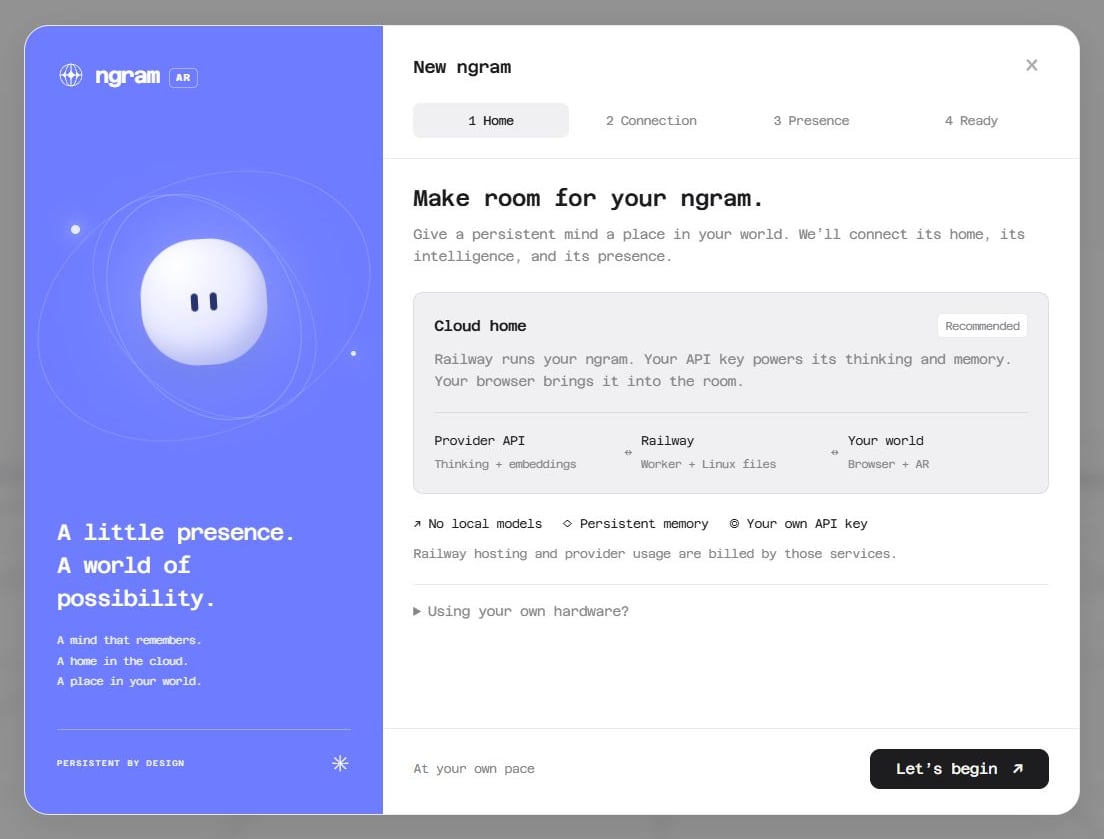
The recommended setup gives your ngram **hosted thinking and embeddings**, a **Railway worker**, a **dedicated Postgres memory database**, and a **persistent Linux workspace**. Your browser or headset connects to that same Entity.
```bash theme={"theme":"github-light-default"}
uv run ngram setup --profile cloud
```
## The guided path
1. Create an Entity or choose an existing configuration.
2. Choose a provider and enter its API key. OpenAI includes a chat default and `text-embedding-3-small` for 768-dimensional memory. The wizard checks the model catalog and sends a small embedding probe.
3. Link a Railway project. Review the named worker, memory database, and `/app/data` volume before deploying. The wizard creates missing resources and sends credentials privately through the CLI.
4. Pair an authenticated worker endpoint and verify the connection. Open the AR app with the exact command printed by setup.
Railway hosting and provider API usage are billed by those services. You need Python, uv, Node.js 22+, a provider account, and a Railway account. A local GPU and Cloudflare are not part of this path.
## In the application
Choose **New ngram** to open the guided experience. Pair a saved worker or enter its URL and pairing token, choose a body and voice, then connect. The app verifies the authenticated worker before saving a body. A failed connection leaves your form open for correction.
 Cloud setup saves pairing details automatically. If you ran setup while the app was open, use **Refresh connections**. Credentials stay in ignored server runtime files; shell YAML contains only an opaque connection reference.
A new body on the same worker is the **same Entity**, with its existing identity and relationships. For a separate ngram, create a separate worker and memory database through cloud setup.
## Memory is part of the default
Embeddings power semantic recall. Postgres holds persistent experience and relationship data. The worker volume keeps knowledge, journal, body state, and files available across redeployments. Keep both storage resources attached.
Pairing an existing worker preserves its memory settings. An OpenAI chat connection with **existing embeddings** can still depend on a home gateway. Equal vector dimensions do not make two embedding models compatible. The app blocks an onboarding switch to a different embedding model when existing memories are detected; migrate those memories deliberately before changing their vector space.
## Other profiles
| Profile | Entity runtime | Thinking and embeddings |
| --------------------- | ----------------------------------- | -------------------------------- |
| `cloud` — recommended | Railway, with Postgres and a volume | Provider API |
| `hosted` | Your computer | Provider API |
| `local` | Your computer | Local Ollama |
| `hybrid` | Railway worker | Protected home inference gateway |
Use `uv run ngram setup --profile hosted`, `--profile local`, or `--profile hybrid` when you explicitly want these alternatives. Cloud setup does not overwrite a deployed Entity's inference or memory configuration; use `uv run ngram ar setup` to pair an existing worker.
Cloud setup saves pairing details automatically. If you ran setup while the app was open, use **Refresh connections**. Credentials stay in ignored server runtime files; shell YAML contains only an opaque connection reference.
A new body on the same worker is the **same Entity**, with its existing identity and relationships. For a separate ngram, create a separate worker and memory database through cloud setup.
## Memory is part of the default
Embeddings power semantic recall. Postgres holds persistent experience and relationship data. The worker volume keeps knowledge, journal, body state, and files available across redeployments. Keep both storage resources attached.
Pairing an existing worker preserves its memory settings. An OpenAI chat connection with **existing embeddings** can still depend on a home gateway. Equal vector dimensions do not make two embedding models compatible. The app blocks an onboarding switch to a different embedding model when existing memories are detected; migrate those memories deliberately before changing their vector space.
## Other profiles
| Profile | Entity runtime | Thinking and embeddings |
| --------------------- | ----------------------------------- | -------------------------------- |
| `cloud` — recommended | Railway, with Postgres and a volume | Provider API |
| `hosted` | Your computer | Provider API |
| `local` | Your computer | Local Ollama |
| `hybrid` | Railway worker | Protected home inference gateway |
Use `uv run ngram setup --profile hosted`, `--profile local`, or `--profile hybrid` when you explicitly want these alternatives. Cloud setup does not overwrite a deployed Entity's inference or memory configuration; use `uv run ngram ar setup` to pair an existing worker.